¶ Invoicing

Configuration
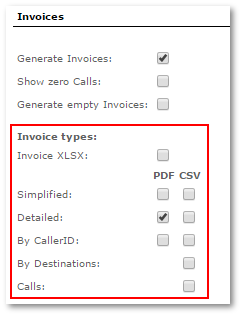
You can manage Invoices settings, details, Address information and functionality in the Invoices section of the SETTINGS -> Setup -> Settings window.
If you want show user_billsec instead of billsec in Users invoices and last calls, go to Settings –> Various and check Show user_billsec for Users instead of billsec
Go to User's edit page to enable or disable types of invoices he can see in his invoices details. And also these selected types will be the ones that are sent to user via email.

¶ Invoices list
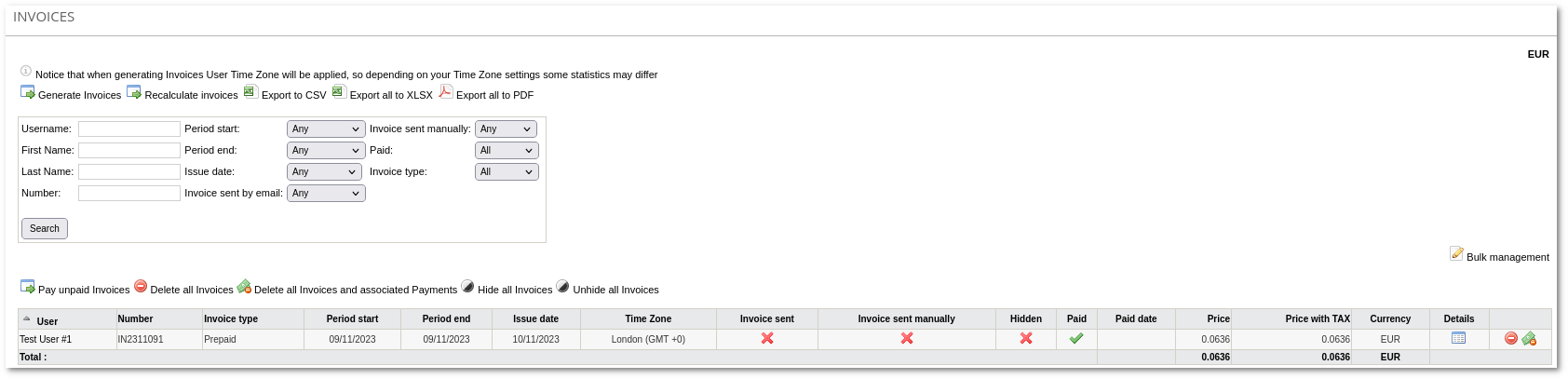
Main invoices page is available in SETTINGS –> Accounting –> Invoices. Invoices can be viewed, generated, recalculated, sent over email and exported to different formats (CSV, XLSX, PDF). In the main window, you can see list of all Invoices:
The icons

and

show whether this invoice is Paid or Unpaid, Sent or Not Sent, Hidden or Not Hidden. If invoice is Hidden, it will not be shown for User.

Invoice generation
In the main Invoices window, click

Generate Invoices to generate additional invoices:
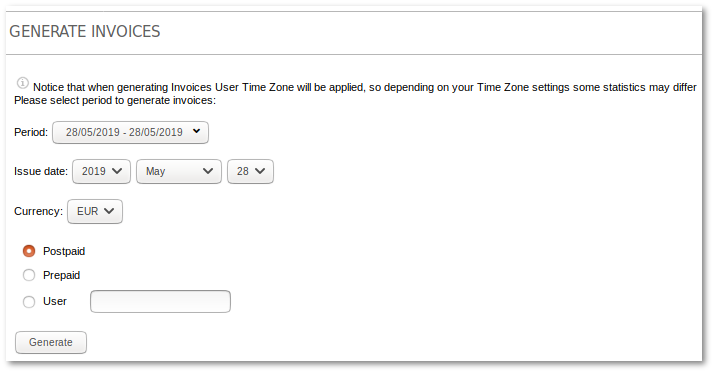
Select for which users to generate invoices. Prepaid and Postpaid users can have separate details. Also, you can check to generate an invoice for only one particular user. Invoice will be generated if selected User existed at least one day of all Invoice period. When Invoice Generation Task is created the process may take several Minutes until the task is completed the invoice are listed on completion.
¶ Invoice details
Click on the

icon to get details of the Invoice:
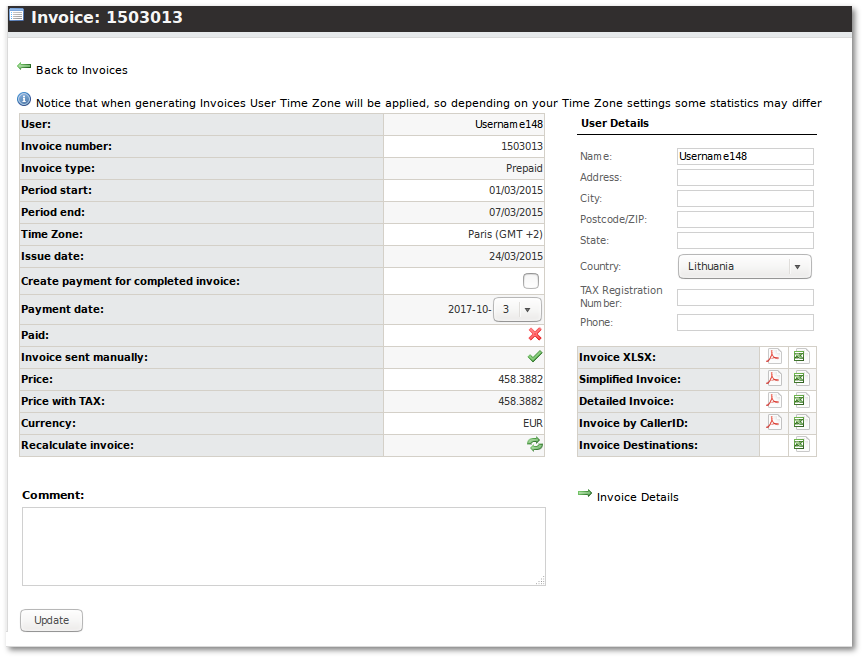
Invoice details are shown in Currency which was used to generate Invoice.